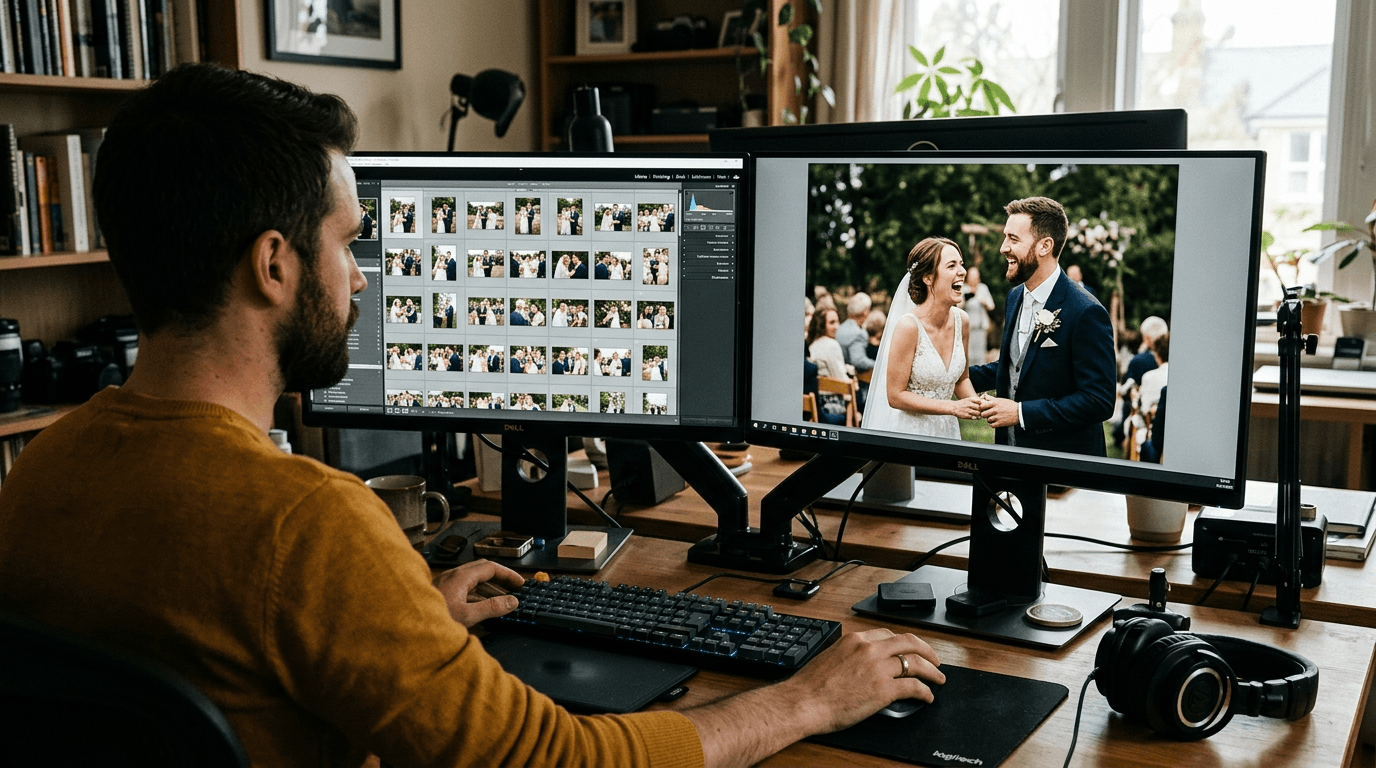
The best photo editing and culling tools for event photographers in 2026 are AI-powered platforms that cut hours of post-production work down to minutes. For a typical wedding shoot of 3,000–5,000 images, the right stack — usually a dedicated AI culler paired with your preferred editor — can reduce your culling time from 4–8 hours to under an hour, without sacrificing creative control over the final gallery.
TL;DR
- AI culling tools like Aftershoot and Narrative Select can reduce your initial cull from several hours to under 60 minutes for a full wedding shoot.
- Your choice between local and cloud-based processing should depend on your hardware, privacy needs, and whether you want an all-in-one editing workflow.
- The best setup for most event photographers is a dedicated AI culler feeding into Lightroom Classic or Capture One, then a shared delivery platform that gets images in front of every guest.
Why Photo Editing and Culling Tools for Event Photographers Matter More in 2026
Wedding and event photographers regularly come home with 3,000 to 8,000 RAW files from a single job. Without the right tools, sorting through all of them manually is one of the most time-consuming and mentally draining parts of the business. The good news is that AI culling has matured rapidly — it's no longer a novelty, and for many working photographers it's become a core part of how they operate.
The market is also growing fast. According to research published by imagen-ai.com, approximately 78% of professional photographers now consider AI culling an essential workflow tool, and around 60% prefer cloud-based platforms for multi-device access. That shift reflects just how much the post-production landscape has changed over the past two years alone.
But more software options mean more decisions. This guide cuts through the noise and tells you which tools are actually worth your time and money in 2026 — and how to build a workflow that gets you from full memory cards to delivered galleries as efficiently as possible.
The Two Stages You Need to Get Right: Culling, Then Editing
Before comparing tools, it helps to be clear on what each stage actually involves. Culling is the process of selecting your keepers from a large shoot — removing duplicates, blurry shots, closed-eye frames, and obvious rejects. Editing is everything that happens after: colour grading, exposure adjustments, retouching, and applying your signature style.
These are distinct tasks, and the best tools for each aren't always the same. Some platforms (like Aftershoot and Imagen AI) try to handle both in a single workflow. Others are purpose-built for just one stage. Knowing which approach fits your business is the first decision you need to make.
Best AI Culling Tools for Event Photographers
Aftershoot — Best for High-Volume Offline Workflows
Aftershoot runs entirely on your local machine, which means no uploads, no internet dependency, and no per-image fees eating into your margin. You point it at a folder of RAW files, select your shooting genre (wedding, portrait, etc.), and the AI groups similar shots, flags blinks and blur, and marks its top picks. It's a flat-rate subscription starting around $9.99/month for the Selects plan — which makes it extremely cost-predictable for high-volume shooters.
The trade-off is hardware dependency. Aftershoot works best on a modern Mac or PC with at least 16GB of RAM. On older machines, the analysis can be noticeably slower. Its AI models are also generic rather than personalised — meaning you'll likely need to spend a few minutes reviewing and adjusting its selections, rather than accepting them blindly. That said, for photographers shooting multiple weddings a month who want offline, unlimited culling at a predictable price, it's the most practical choice on the market right now.
We've covered Aftershoot in depth alongside its main competitors in our Aftershoot vs Narrative vs Imagen AI comparison — worth reading before you commit to a subscription.
Narrative Select — Best for Speed on macOS
If you need to send a sneak-peek gallery the morning after a 12-hour wedding day, Narrative Select is the tool you want open. It's been benchmarked loading and ranking 1,000 RAW files in roughly 10 seconds on Apple Silicon hardware — which is genuinely extraordinary. Its interface is clean and minimal by design, and its Close-Ups panel automatically zooms into every detected face in a frame simultaneously, so checking expressions and eye focus across a group shot takes seconds instead of minutes.
The free tier gives you basic functionality to try the workflow, while the Standard plan at $20/month unlocks full AI culling and basic preset editing. Narrative is primarily a macOS tool — Windows users can access it, but the performance gap is noticeable. It also doesn't personalise its AI to your shooting style the way some cloud platforms do, but for pure first-pass speed, nothing touches it.
Imagen AI — Best for Cloud-Based All-in-One Workflows
Imagen AI takes a different approach: everything happens in the cloud. You upload your files, and the platform handles both culling and editing using a Personal AI Profile trained on your past Lightroom edits. The result is AI selections and colour grades that feel like your own work rather than a generic algorithm's interpretation. It's the most personalised system available, and its accuracy for identifying technical flaws is consistently high.
The downside is upload time — if your internet connection is slow, large RAW sets can create a bottleneck. The pricing is also more complex: culling is charged at roughly $0.01 per image on the pay-as-you-go model, with higher-tier plans bundling unlimited culling. For photographers who primarily work from a laptop and want a single platform to replace their entire post-production chain, Imagen is compelling. For offline-first shooters, Aftershoot makes more practical sense.
Excire Foto — Best for Configurable Local AI Culling
Excire Foto 2025 is the most configurable AI culling tool available for photographers who want to decide exactly how much the AI does versus how much they review themselves. You can have it group images by visual similarity, sort each group by sharpness or aesthetic score, and either auto-select or let you make the final call. Testing across a 1,000-image wedding set, Excire completed analysis in around three minutes — on par with Narrative Select — and image loading is essentially instantaneous.
It runs entirely locally, it's available as a standalone app or as a Lightroom Classic plugin (Excire Search 2026), and it's sold as a one-time $229 licence with no ongoing subscription. For photographers who shoot a wide variety of event types and want granular control over their cull without paying monthly fees indefinitely, Excire offers genuinely strong long-term value.
Photo Mechanic — Best for Manual-First Workflows
Not every photographer wants AI involved in selecting their images, and that's a completely valid preference. Photo Mechanic has been the gold standard for manual culling for decades, and it earns that reputation by being extraordinarily fast at rendering previews and moving through large sets. There's no AI, no automatic grouping, no blur detection — but the speed of the interface means that a skilled photographer can move through 3,000 images significantly faster than in Lightroom Classic.
It's available as a perpetual licence ($299) or a monthly subscription ($14.99/month). If you already use it and trust your own eye above any algorithm, there's no urgent reason to switch. But if you're looking to dramatically reduce culling time, pairing Photo Mechanic with an AI-first alternative is worth considering.
Best Editing Tools for Event Photographers in 2026
Adobe Lightroom Classic — Still the Industry Standard
Lightroom Classic remains the most widely used editing tool in professional event photography, and for good reason. Its cataloguing system, batch editing capabilities, XMP-based preset workflow, and near-universal compatibility with culling tools make it the anchor of most professional post-production setups. The AI-powered Denoise tool added in recent versions is genuinely excellent, and the masking and selection tools have improved significantly.
The subscription cost ($19.99/month with Photoshop) is the main friction point, and Adobe's reputation for price increases and difficult cancellation processes makes many photographers uneasy about long-term dependency. But for sheer workflow integration — especially when paired with AI culling tools that write directly to your Lightroom catalog — it's still the most practical choice for most event photographers. We've compared it against its main rival in our Lightroom vs Capture One 2026 breakdown if you want a deeper look.
Capture One — Best for Colour and Tethering
Capture One is the professional alternative that has been steadily gaining ground among wedding photographers who prioritise colour accuracy and a more advanced grading workflow. Its RAW processing engine produces files with exceptional detail and tonality, and its colour tools — particularly the Colour Editor and Skin Tone tools — are more powerful than anything available in Lightroom Classic. It also integrates well with AI culling tools like Aftershoot and Excire.
At $17/month for the base subscription (or $299 as a perpetual licence), it's competitively priced. The learning curve is steeper than Lightroom, but for photographers who consistently shoot in challenging or mixed-light environments like receptions and church ceremonies, the colour rendering payoff is significant.
Luminar Neo — Best for AI-Assisted Creative Edits
Luminar Neo from Skylum is built around AI tools that handle the technically complex parts of editing — sky replacement, background cleanup, portrait retouching, and atmosphere enhancement — in just a few clicks. It's not designed to replace Lightroom as your primary catalogue and batch-editing platform, but it works well as a secondary tool for hero images and portfolio shots that need more creative treatment.
It's available as a one-time perpetual licence starting around £99, and can be used as a Lightroom or Photoshop plugin. For event photographers who want faster creative output on standout images without spending hours in Photoshop, it fills a specific and useful gap. See our Luminar Neo vs Lightroom comparison for a side-by-side breakdown of where each tool wins.
DxO PhotoLab 9 — Best for RAW Noise Reduction
If you regularly shoot in difficult light — late-evening receptions, candle-lit ceremonies, dark venues with mixed colour casts — DxO PhotoLab 9 is worth knowing about. Its DeepPRIME XD2s noise reduction technology is widely regarded as the best available for recovering detail from high-ISO RAW files, consistently outperforming Lightroom's Denoise AI in side-by-side comparisons on challenging material. It also has the most comprehensive library of optical correction profiles for camera and lens combinations.
It's available as a one-time purchase ($239 for the Elite edition), which is attractive compared to ongoing subscriptions. Most photographers use it in combination with Lightroom — exporting specific images for DeepPRIME processing and then returning them to their Lightroom catalog — rather than as a primary workflow platform.
How to Build a Practical Post-Production Stack
The photographers who move fastest aren't using the most tools — they're using the right combination of a small number of tools that integrate cleanly. Here's a workflow that covers the full journey from memory card to delivered gallery without unnecessary friction.
Step 1 — Ingest and back up. Use Photo Mechanic or your camera's own backup utility to copy files to two locations simultaneously the moment you get home. Never skip this step, and never cull from a single copy.
Step 2 — AI cull. Run your files through Aftershoot, Narrative Select, or Excire depending on your hardware and workflow preferences. Let the AI handle the obvious rejects — duplicates, blinks, severe blur — then do a quick final pass yourself for emotional and creative selects the AI might have deprioritised.
Step 3 — Edit. Import your selects into Lightroom Classic or Capture One. Apply your base preset, make scene-specific adjustments, and handle any hero images that need more detailed treatment in Luminar Neo or PhotoLab.
Step 4 — Deliver to guests, not just the couple. This is where most photographers leave significant value on the table. Delivering a password-protected gallery to the couple is the minimum — but every guest at the wedding has their own photos they'd love to find. Platforms that use AI face search and QR codes to help all 150 guests find themselves in the gallery turn your delivery into a marketing engine. Check out our guide on how to deliver wedding photos to guests for a practical breakdown of the best approaches.
AI Culling and Privacy: What You Need to Know
One of the most common concerns photographers raise about AI culling tools is data privacy — specifically, what happens to client images when you upload them to a cloud-based platform. It's a legitimate question, and the answer varies by tool.
Cloud platforms like Imagen AI use industry-standard encryption for files in transit and at rest, and their privacy policies are written for professional use. That said, if a client has specifically requested that their images not be uploaded to third-party servers, local tools like Aftershoot, Narrative Select, or Excire are the appropriate choice — all processing happens on your own machine, and your files never leave your hard drive.
It's worth including a brief note about your post-production tools in your client communication or contract. Most couples won't have concerns, but transparency here protects you and builds trust — especially for clients in industries where data sensitivity matters.
Comparing the True Cost of Your Editing Stack
When evaluating tools, most photographers look at the monthly price and stop there. But the true cost of your editing stack includes the time you spend culling, editing, and troubleshooting workflow issues — and time, for a working photographer, is the most valuable resource of all.
A tool like Aftershoot at $9.99/month that saves you 5 hours per wedding is worth far more than a free manual workflow that costs you a full workday every time. Similarly, a one-time $229 licence for Excire beats three years of a $15/month culling subscription if you keep the software long enough. Run the numbers for your own shooting volume and you'll quickly see where the leverage is.
For a broader look at how workflow tools fit into building a sustainable photography business, the wedding photographer business playbook covers the full picture — from gear to pricing to client acquisition.
Quick-Reference Tool Comparison for 2026
Aftershoot — Local processing, flat-rate subscription (~$9.99–$59.99/month), best for high-volume offline workflows. Combines culling and AI editing.
Narrative Select — Local processing, subscription with free tier (~$20/month for Standard), best for speed on macOS. Fastest RAW ingestion available.
Imagen AI — Cloud-based, pay-as-you-go or subscription, best for personalised AI that learns your editing style. Combines culling and editing in one upload.
Excire Foto / Excire Search 2026 — Local processing, one-time $229 licence, best for configurable AI with maximum creative control. Works standalone or as a Lightroom plugin.
Photo Mechanic — Local, manual-only, perpetual licence ($299) or $14.99/month. Best for photographers who prefer to keep creative control at every stage.
Adobe Lightroom Classic — The editing backbone for most event photographers. $19.99/month with Photoshop. Unmatched workflow integration with AI culling tools.
Capture One — Best colour and RAW rendering. $17/month or $299 perpetual. Ideal for photographers who prioritise output quality over cost.
Luminar Neo — AI-first creative editing. From £99 one-time. Best used as a secondary tool for standout images rather than batch processing.
DxO PhotoLab 9 — Best noise reduction for high-ISO event shooting. $239 one-time (Elite). Most photographers use it alongside rather than instead of Lightroom.
Once your edited gallery is ready, the next step is making sure every guest can actually find their photos — not just the couple. FindMe Photo uses AI face search and QR codes to let all 150+ guests at any event discover their own images instantly, turning your delivery into a word-of-mouth referral machine. Try FindMe Photo free and see how much more value you can deliver from every wedding you shoot.
Frequently asked questions
What is the best AI culling software for wedding photographers in 2026?
For most working wedding photographers, Aftershoot and Narrative Select are the top picks in 2026. Aftershoot excels for high-volume shooters who want flat-rate, offline processing, while Narrative Select is unbeatable for speed on macOS. Imagen AI is a strong cloud-based option if you want culling and editing in a single workflow.
How much time does AI culling save per wedding?
Manual culling in Lightroom typically takes 4–8 hours for a wedding with 3,000–5,000 images. AI culling tools like Aftershoot or Narrative Select can cut that down to 20–60 minutes for the initial pass, saving photographers several hours per event — which adds up to many days per shooting season.
Can AI culling software miss emotionally important wedding photos?
Yes, and that's the main limitation. AI prioritises technical quality — sharpness, open eyes, correct exposure — so it can flag or deprioritise images with intentional blur, low light, or subtle emotional moments. Most pros use AI for a first-pass rejection of obvious duds, then do a final creative review themselves.
Do I need a powerful computer to run AI culling tools?
It depends on the tool. Cloud-based platforms like Imagen AI do the heavy lifting on their servers, so your hardware barely matters. Local tools like Aftershoot and Narrative Select perform best on a modern machine with at least 16GB of RAM and an Apple M-series chip or equivalent. Older laptops may struggle.
What is the difference between AI culling and AI editing?
AI culling selects the best images from a large set by analysing technical factors like focus, exposure, and closed eyes. AI editing happens after culling — it adjusts colour, tone, contrast, and style to match a photographer's look. Some platforms like Aftershoot and Imagen AI now combine both steps in a single workflow.
Browse by topic
The new photo gallery for pro event photographers.
Expand your reach: 10× more guests open your galleries.
Why the whole room opens it
One link per event. No signup, no login, no app for your guests. Designed for mobile and access on the go.

Their face is their password. A selfie finds their photos in under 2 seconds. Selfie Search comes in every plan, including Free+.
They share it, or buy from your store. Your prices, your brand, your customers. Set up your store for digital and/or print copies connected to your Stripe.
Open your Free+ account today — every Growth feature free for 30 days — and onboard the fastest, coolest way to share your galleries.