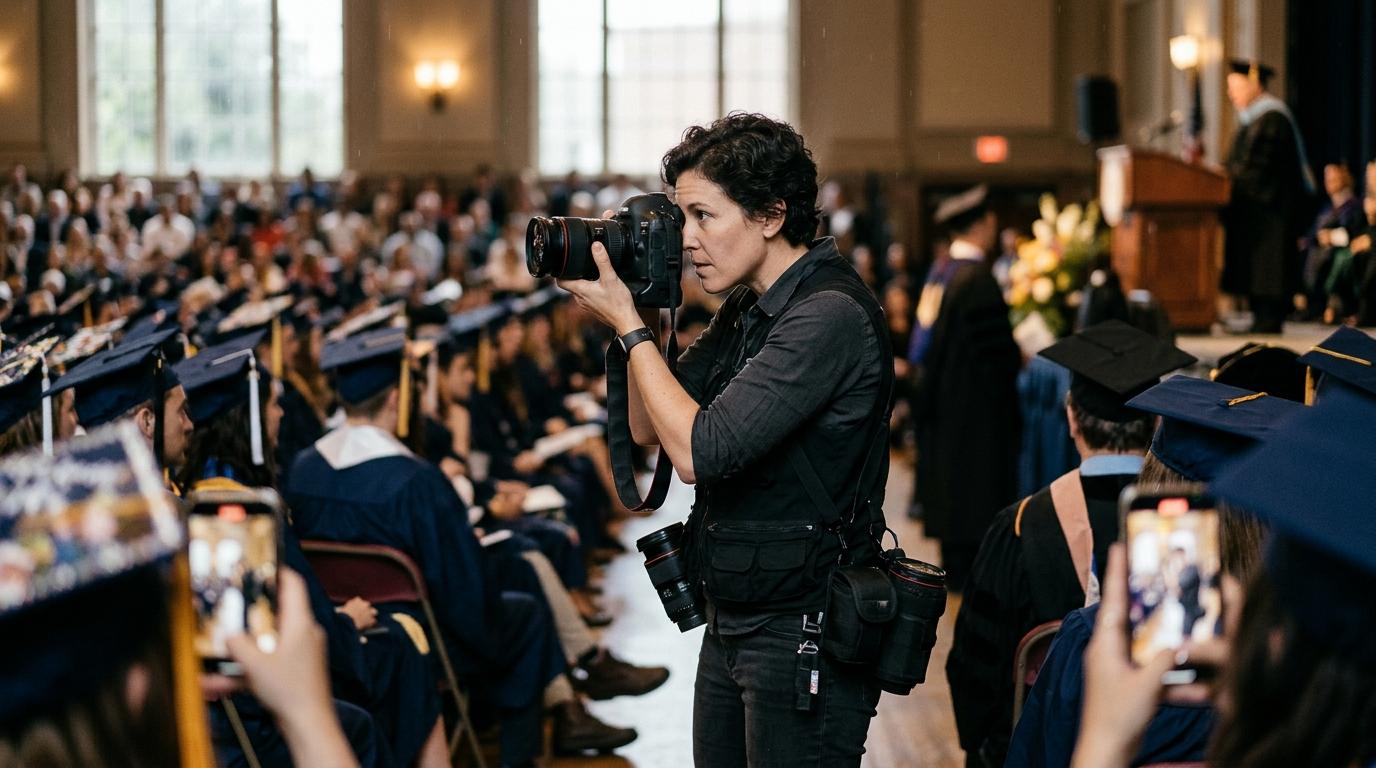
The best photo delivery software for graduation photographers is the one that lets hundreds of families each find one graduate without you sorting by hand. GotPhoto fits school-style ordering, Pixieset, ShootProof, and Pic-Time fit print-led studios, and selfie-search tools like FindMe fit ceremony-day volume. Here is how they compare in 2026.
TL;DR
- Graduation is a many-to-one problem: hundreds of families, one gallery, and each person wants only their graduate. Folder-based galleries handle that badly, and selfie search handles it well.
- For print revenue, Pic-Time, Pixieset, ShootProof, and GotPhoto all have mature stores. For finding and sharing at scale, selfie search is the biggest gap in most of them.
- Most graduation photographers will get the best result from pairing a finder (so families reach their photos fast) with a store (so they can order prints) rather than forcing one tool to do both.
What Is the Best Photo Delivery Software for Graduation Photographers in 2026?
There isn't one winner, because graduation work splits into two jobs: helping a family find the right photos, and turning that moment into an order. The strongest setup depends on which job you're losing money on today.
If your bottleneck is sales and fulfillment, a store-first platform such as GotPhoto, Pic-Time, Pixieset, or ShootProof is the natural base. If your bottleneck is that families give up before they find their graduate in a 2,000-photo gallery, you need discovery first, and that is where AI selfie search changes the math.
Below, we compare the five tools on ceremony-day volume, family self-serve, and print sales, then show which one to pick for which kind of graduation business.
Why Do Graduation Ceremonies Break Normal Gallery Software?
Most gallery software was designed around a client who hires you and receives a gallery of their own photos. A graduation ceremony flips that: the person who hired you (a school, university, or class committee) isn't the person who buys, and the buyers number in the hundreds.
The volume is also hard to ignore. PetaPixel notes that many wedding photographers shoot between 2,000 and 4,000 photos per event, and a large ceremony with a stage walk, crowd shots, and family portraits can land in the same range. The difference is that a wedding gallery has one or two buyers, while a ceremony gallery has hundreds of buyers who each want roughly 1% of the images.
That creates three problems you won't see at a portrait session. Families arrive on the same evening, so traffic spikes right when you're least able to answer emails. Each parent is looking for one face among hundreds in near-identical gowns and caps. And the emotional window for buying is short, because interest drops quickly once the celebration is over.
If you also cull heavily after a ceremony, our guide to AI photo culling for high-volume events covers how to get from thousands of frames to a deliverable set faster.
How Do GotPhoto, Pixieset, ShootProof, Pic-Time, and FindMe Compare?
The table below summarizes where each platform is strongest for ceremony work. It reflects each product's general positioning, so confirm current features and pricing on the vendor sites before you commit, since all of them update frequently.
| Tool | Ceremony-day volume | Family self-serve | Print sales | Best fit |
|---|---|---|---|---|
| GotPhoto | Built for school and group workflows with many buyers | Order-oriented flows for parents; name or group organization | Strong, with lab and order management | School, kindergarten, and institutional graduations |
| Pixieset | Solid for typical galleries; plan large uploads in advance | Collections, favorites, and sharing; mostly manual organization | Strong store and lab integrations | Studios that sell prints and want an all-in-one |
| ShootProof | Reliable for high-volume galleries | Gallery browsing; you organize by folder | Good store and sales tooling | Studios that want contracts and invoices beside the gallery |
| Pic-Time | Good for event galleries; strong on automation | Gallery sharing with automated marketing | Very strong automated print campaigns | Print-first studios with repeat sales |
| FindMe | Built for thousands of photos and many viewers at once | Selfie search: each family finds their graduate in seconds | Focused on finding and sharing; pair with a store for fulfillment | Large ceremonies where finding photos is the bottleneck |
For a deeper look at how the established platforms differ when you're selling, see our comparison of Pic-Time vs Pixieset for print sales and the breakdown of GotPhoto vs Zenfolio for school and sports photography.
Which Tool Handles Ceremony-Day Volume Best?
For raw volume, all five can host a few thousand images, so the real difference is how much work lands on you before and after upload. With folder-based galleries, you decide the structure, which means you're spending the night tagging graduates by name, row, or order of walking.
GotPhoto's school-oriented workflow reduces some of that by organizing around groups and orders, which is why it's popular in school photography. Pixieset, ShootProof, and Pic-Time give you strong gallery controls but expect you to build the navigation, either with collections or by splitting the ceremony into sets.
Selfie-search tools skip the structure entirely. You upload once, and the AI groups photos by face, so the number of graduates stops affecting your workload. That's the same logic behind our look at gallery software for high-volume event photographers.
Which Tool Is Best for Family Self-Serve?
Family self-serve works best when a parent can arrive with nothing but a phone and find their graduate in under a minute. Folder navigation fails that test at a large ceremony, because parents have to scroll through hundreds of near-identical shots of different graduates.
Selfie search passes it. A parent uploads one clear photo of their face or their graduate, and the platform returns every match, which they can then share with grandparents and relatives who couldn't attend. Our explainer on how AI selfie photo search works covers the technology and its limits, such as how gowns, caps, and masks can reduce match quality.
It also moves a lot of support work off your plate. Instead of answering “can you send me the photos where my daughter is crossing the stage?” fifty times, families answer that question themselves. The same pattern shows up in other crowd-scale events, as we saw when comparing bib-number and selfie search for race photos.
Which Tool Is Best for Graduation Print Sales?
For print revenue, Pic-Time, Pixieset, ShootProof, and GotPhoto are the mature options, each with a built-in store and lab fulfillment. Pic-Time is especially known for automated sales campaigns, Pixieset for a clean all-in-one store, ShootProof for pairing sales with business tools, and GotPhoto for order management at school scale.
Graduation sales behave differently from wedding sales, though. Buyers are many, orders are small (a single 8x10, a digital pack, a class composite), and the window is short. Platforms that make ordering a two-tap action on a phone usually beat those that ask parents to create accounts or hunt for a link.
That points to a practical truth: discovery and sales are separate steps. A family can't buy a photo they can't find, so a tool that shortens the path from “I'm here” to “that's my graduate” often raises conversion even if the store is the same. If you're weighing options beyond the usual names, our list of Pic-Time alternatives with AI selfie search is a good next read.
How Should You Set Up Delivery on Ceremony Day?
A reliable ceremony-day setup has four steps: shoot with delivery in mind, cull quickly, publish the same day or next morning, and give every family a simple way in. Speed matters because the excitement that drives orders fades fast.
- Agree on the terms before the ceremony. Confirm with the school or committee who owns the images, whether minors' photos can be searched by face, and how sales are split. Our guide to event photography permits and venue rules is a useful checklist.
- Capture clean, face-forward frames. Get each graduate at the handshake, the walk, and the pose with the diploma, because those are the frames families search for and buy.
- Cull and export in one pass. Pick a tool that exports straight from Lightroom Classic so you aren't re-uploading from a second app, and cull aggressively so families don't scroll through 14 near-duplicates of the same moment.
- Publish fast and announce once. Send a single link through the school, class group chat, or social channel, and let families self-serve from there.
Photographers who work on the go increasingly run parts of this from an AI assistant over MCP, such as Claude or ChatGPT, which means you can create an event, upload, and share a link from a phone while you're still at the venue. FindMe works this way, and it's one reason a ceremony can be live before the crowd has left the parking lot.
Which Photo Delivery Software Should You Pick?
Pick based on your bottleneck, not on the longest feature list. Here is a quick way to decide.
- You shoot school or institutional graduations with order forms and lab fulfillment: GotPhoto is built for that world.
- You run a print-focused studio with a few graduations a year: Pic-Time or Pixieset give you the most polished store and marketing automation.
- You want contracts, invoices, and a gallery together: ShootProof keeps the business side in one place.
- You shoot large university or high-school ceremonies where hundreds of families need to find one graduate: a selfie-search tool like FindMe removes the sorting problem, and you can pair it with any store for print fulfillment.
If you're still building your shortlist across event types, the roundup of event photo delivery platforms and the guide to sports photo ordering software for youth leagues show how similar many-buyers workflows are solved in neighboring niches.
FAQ: Photo Delivery for Graduation Photographers
What is the best photo delivery software for graduation photographers?
It depends on how you sell. GotPhoto suits school-style order flows with lab fulfillment, Pic-Time and Pixieset suit print-focused studios, and selfie-search tools like FindMe suit ceremony-day volume where hundreds of families each want one graduate. Many photographers pair a finder with a store.
How do families find their graduate in hundreds of ceremony photos?
The traditional method is sorting by name, row, or walking order, which relies on you tagging every graduate. Selfie search lets a parent upload one photo of a face and returns every match, which removes most of the manual sorting.
How many photos does a graduation photographer usually shoot?
It varies with the ceremony length and graduate count, but a large ceremony can produce several thousand frames once you include the stage walk, crowd, and portraits. That is comparable to the 2,000 to 4,000 frames PetaPixel reports many wedding photographers shooting per event.
Can I sell prints from a graduation gallery?
Yes. Pixieset, Pic-Time, ShootProof, and GotPhoto all offer store or ordering features, usually with lab fulfillment. Sales tend to be strongest when the gallery goes live within a day or two, while families are still celebrating.
Should graduation photos be public or password protected?
For ceremonies with minors or school clients, check your contract and the institution's rules first. Many photographers use private event links plus selfie search so each family only reaches photos in which their graduate appears, but confirm what the school or venue allows.
Ready to make every graduate easy to find? FindMe lets you upload once from Lightroom Classic or your AI assistant, then every family finds their graduate with a selfie in seconds and shares the photos on their own. It's a fast way to reach every family at the ceremony without sorting a single folder.
Frequently asked questions
What is the best photo delivery software for graduation photographers?
It depends on how you sell. GotPhoto suits school-style order flows with lab fulfillment, Pic-Time and Pixieset suit print-focused studios with a smaller number of galleries, and selfie-search tools like FindMe suit ceremony-day volume where hundreds of families each want one graduate. Many photographers pair a finder with a store.
How do families find their graduate in hundreds of ceremony photos?
The traditional method is sorting by name, row, or diploma-line order, which depends on you capturing and tagging every graduate. Selfie search lets a parent upload one photo of their face or their graduate and returns every match, which removes most of the manual sorting.
How many photos does a graduation photographer usually shoot?
It varies with ceremony length and the number of graduates, but a single large ceremony can easily produce several thousand frames once you include the stage walk, crowd, and family portraits. That is comparable to the 2,000 to 4,000 frames PetaPixel reports many wedding photographers shooting per event.
Can I sell prints from a graduation gallery?
Yes. Pixieset, Pic-Time, ShootProof, and GotPhoto all offer store or ordering features, usually with lab fulfillment. Sales tend to be strongest when the gallery is live within a day or two, while families are still celebrating.
Should graduation photos be public or password protected?
For ceremonies with minors or school clients, check your contract and the institution's rules first. Many photographers use private event links plus selfie search, so each family only reaches photos in which their graduate appears, but you should confirm what the school or venue allows.
Browse by topic
The new photo gallery for pro event photographers.
Expand your reach: 10× more guests open your galleries.
Why the whole room opens it
One link per event. No signup, no login, no app for your guests. Designed for mobile and access on the go.

Their face is their password. A selfie finds their photos in under 2 seconds. Selfie Search comes in every plan, including Free+.
They share it, or buy from your store. Your prices, your brand, your customers. Set up your store for digital and/or print copies connected to your Stripe.
Open your Free+ account today — every Growth feature free for 30 days — and onboard the fastest, coolest way to share your galleries.