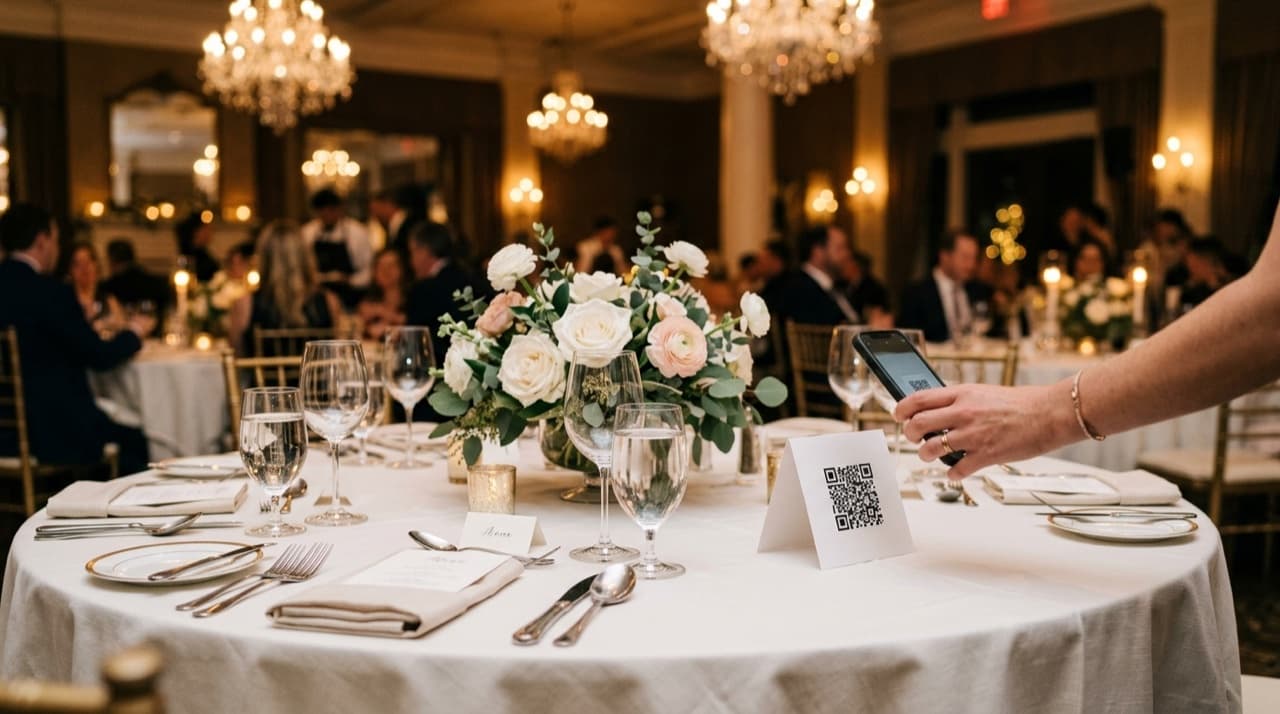
Wedding hashtags were a clever idea in 2013. Everyone posts to Instagram with the same tag, the couple scrolls it after the honeymoon, done. Then Instagram hid hashtag feeds. Then TikTok split the crowd. Now you're lucky if 20% of your guests even have Instagram, let alone use it on the day.
QR codes filled the gap for a lot of photographers, but most are still doing it wrong — linking to Dropbox, Google Photos, or a full gallery where guests land in 800 photos and immediately get lost.
Here's how to set it up so it works.
What the Photographer Does
The workflow doesn't change much from how you already work. You shoot the wedding, you upload the photos, and you add one step: generating a shareable link with a QR code guests can use from their phones.
The key is what happens when guests arrive. A Dropbox link drops them into a folder. A standard gallery link drops them into 800 photos they have to scroll through. Neither works for guests who want their photos fast without hunting.
The better version: guests land somewhere that helps them find their own photos in seconds. Face search solves this. They take a selfie, the software finds every photo they're in, and they download. Two seconds. No scrolling.
Where to Put the QR Code
Print it on the table menu cards. Put it near the escort card table. Add it to photo booth props if you're running one. Somewhere guests see it during cocktail hour or the reception when they're relaxed and have their phones out.
Timing matters more than placement. You don't have to wait until the gallery is fully edited. Upload 50 to 100 reception highlights at the end of the night, send the link to the couple, and they share it at the last dance. Guests leave with photos. The edited delivery follows two to three weeks later.
That's a real upgrade to the guest experience without adding much to your workload.
The Setup
Most platforms have a QR code generator built in. If yours doesn't, a URL shortener plus any QR generator — QR Code Generator, Adobe Express, or similar — takes two minutes. Put the code into a Canva template, size it for a 4x6 print, run off 20 copies, place on tables.
If you want to go further: printed acrylic signs at the bar or photo booth look good in photos and hold up better than paper. Some photographers brand these and include them in their packages. Low overhead, noticeable touch.
Why the Guest Experience Matters for Your Business
Guests who can't find themselves in a gallery don't look long. They scroll for a minute, don't see anything obvious, and give up. The photos that reach them end up being whatever the couple posts on Instagram later.
That matters because every guest at that wedding is a potential future client. They remember who shot it. If your work reaches them directly, that's a referral moment. If it doesn't, it's a missed one.
The photos that don't reach guests don't build your reputation. Guest experience is part of your product whether you treat it that way or not.
QR Code Apps vs. Photography Platforms
There are apps built for couples, not photographers — GuestPix, GuestCam, Wedibox. These let guests upload their own photos and crowd-source a shared gallery. That's a different use case. They're designed around guest uploads, not a professional photographer's workflow.
For professional delivery, you want a tool where you control the upload, guests access what you shot, and finding individual photos is fast — not a feed of someone else's phone snaps mixed in with yours.
FindMe Photo is built for the photographer side of this. You upload after or during the event, guests scan a QR code, facial recognition finds their photos on their phone — no app, no account needed. Free for your first 30 days.
Browse by topic
The new photo gallery for pro event photographers.
Expand your reach: 10× more guests open your galleries.
Why the whole room opens it
One link per event. No signup, no login, no app for your guests. Designed for mobile and access on the go.

Their face is their password. A selfie finds their photos in under 2 seconds. Selfie Search comes in every plan, including Free+.
They share it, or buy from your store. Your prices, your brand, your customers. Set up your store for digital and/or print copies connected to your Stripe.
Open your Free+ account today — every Growth feature free for 30 days — and onboard the fastest, coolest way to share your galleries.